🖼️ What You Can Build
Click on any card to see detailed information and PRD prompts
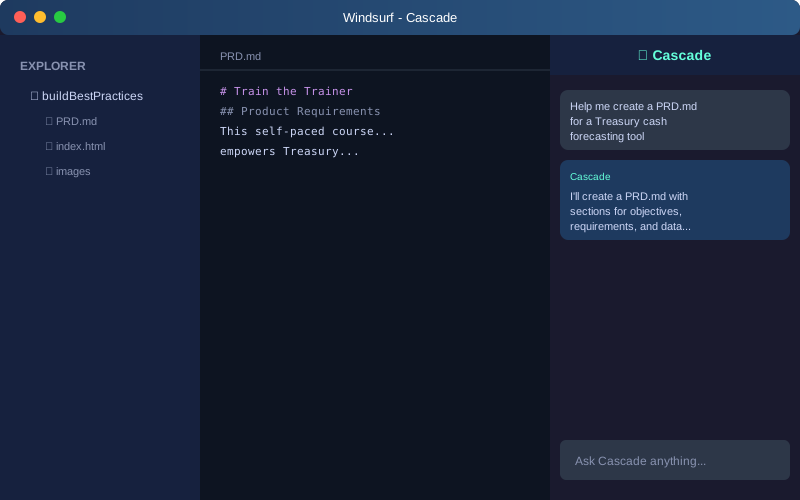
Cascade AI Chat
Learn to use Windsurf's AI assistant for interactive coding and analysis
What This Is:
Cascade is Windsurf's AI coding assistant that helps you write code, debug issues, and build applications through natural language conversation. It's your starting point for all AI-assisted development.
PRD Prompt to Get Started:
Create a PRD.md for a simple Cascade tutorial project that:
1. Teaches users how to write effective prompts
2. Shows how to iterate on AI responses
3. Demonstrates the "3 strikes rule" for when to restart
4. Includes 5 example prompts with explanations
5. Uses only markdown formatting (no code required)

Keep it beginner-friendly and focused on communication skills.
Why This Works:
This prompt is specific about structure (5 sections), audience (beginners), and constraints (markdown only). It follows best practices by breaking down requirements clearly.
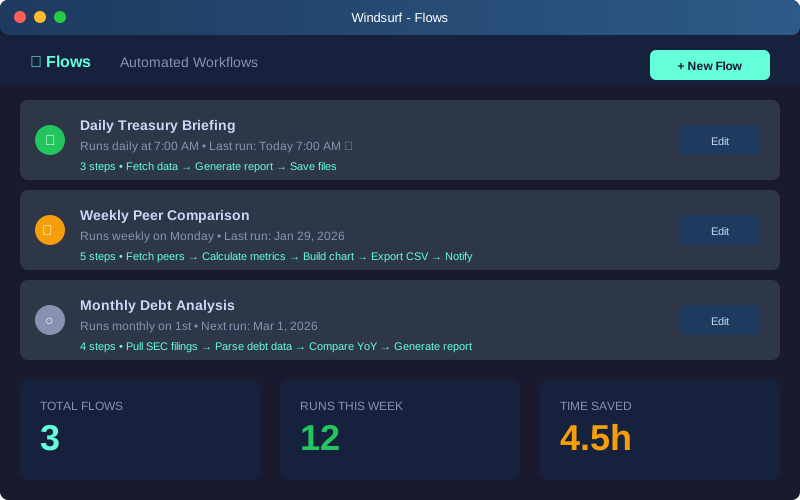
Automated Flows
Create scheduled workflows that run automatically
What This Is:
Flows automate repetitive tasks by running scripts on a schedule. Perfect for daily reports, data refreshes, or monitoring tasks. This is more advanced and requires understanding of scheduling and error handling.
PRD Prompt to Get Started:
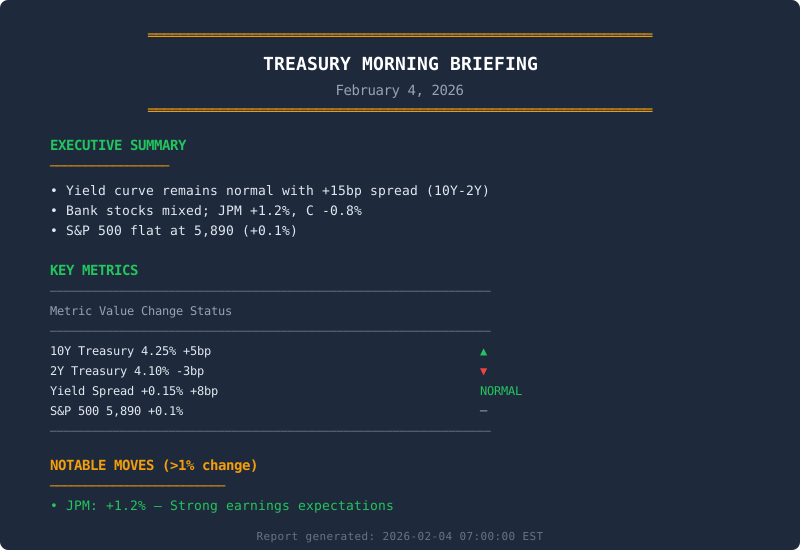
Create a PRD.md for an automated daily Treasury briefing Flow that:
1. Runs every weekday at 7:00 AM EST
2. Fetches Treasury yields from FRED (DGS10, DGS2)
3. Fetches S&P 500 data from Yahoo Finance
4. Generates a formatted report (text and HTML)
5. Saves to a designated folder with date stamp
6. Includes error handling and retry logic
7. Uses environment variables for API keys

Target: Financial analysts who need morning market updates.
Constraint: Must complete in under 2 minutes.
Why This Works:
Specifies timing, data sources, output formats, and constraints. Includes error handling (best practice). However, this is advanced—start with simpler projects first.
⚠️ Note: Flows require understanding of scheduling, error handling, and automation concepts. Complete the basic assignments first before attempting this.
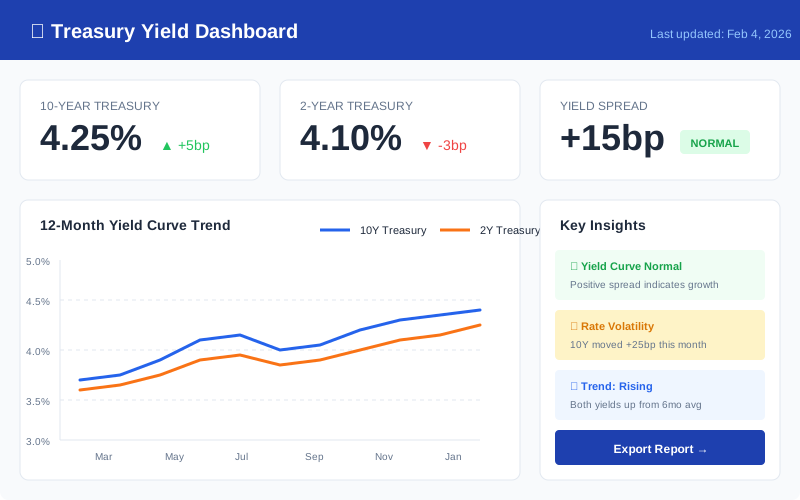
Treasury Dashboard
Build real-time yield curve and metrics dashboards
What This Is:
Interactive dashboards that display Treasury data with charts, tables, and real-time updates. Uses Python libraries like Streamlit or Plotly for visualization.
PRD Prompt to Get Started:
Create a PRD.md for a Treasury Yield Dashboard that:
1. Displays 10Y, 5Y, 2Y, and 3M Treasury yields
2. Shows yield curve spread (10Y-2Y) with visual indicator
3. Includes a 12-month trend chart for all yields
4. Has a data refresh button (manual for now)
5. Displays last update timestamp
6. Uses FRED API with API key from .env file
7. Built with Python Streamlit for easy deployment
8. Includes error handling for API failures

Design: Clean, professional, suitable for executive viewing.
Success Metric: Dashboard loads in under 3 seconds.
Why This Works:
Lists specific metrics, timeframes, and technical stack. Includes performance requirements and error handling. Specifies the audience (executives) which helps AI understand design needs.
Best Practices Applied:
- Environment variables for API keys (security)
- Error handling specified upfront
- Performance metrics defined
- Technology stack chosen (Streamlit)
- Manual refresh before automation (iterate gradually)
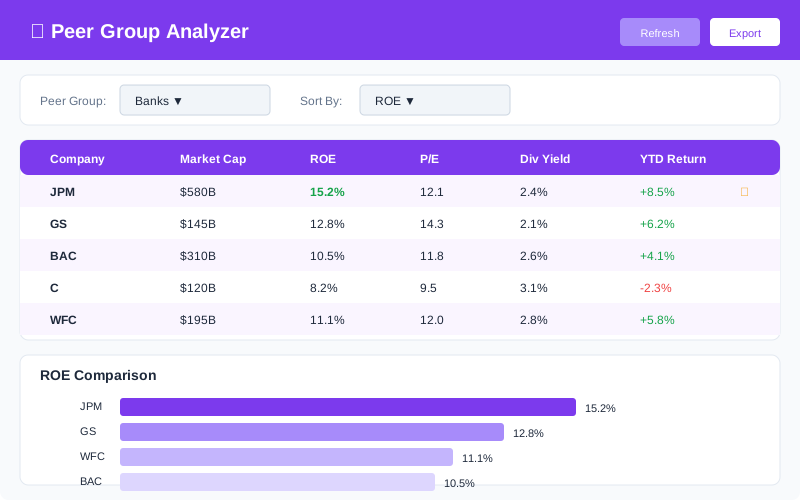
Peer Group Analyzer
Compare banks, tech companies, and financials
What This Is:
A tool that compares multiple companies on key financial metrics. Users can select peer groups (banks, tech, etc.) and view side-by-side comparisons with charts and export capabilities.
PRD Prompt to Get Started:
Create a PRD.md for a Peer Group Comparison Tool that:
1. Allows users to select from 3 peer groups:
   - Banks: JPM, GS, BAC, C, WFC
   - Tech: AAPL, MSFT, GOOGL, AMZN, META
   - Diversified: BRK.B, GE, MMM, JNJ, PG

2. Displays these metrics for each company:
   - Market Cap, P/E Ratio, ROE, Dividend Yield, YTD Return

3. Features:
   - Dropdown to select peer group
   - Comparison table with conditional formatting (highlight best/worst)
   - Bar chart for selected metric
   - CSV export button
   - Last updated timestamp

4. Technical requirements:
   - Use yfinance library for data
   - Built with Streamlit
   - Cache data for 1 hour to reduce API calls
   - Handle missing data gracefully

Target: Financial analysts comparing investment options.
Success: User can generate comparison in under 10 seconds.
Why This Works:
Extremely specific about data structure (3 groups, 5 companies each, 5 metrics). Lists all features clearly. Includes technical optimizations (caching) and user experience requirements (10-second load time).
Best Practices Applied:
- Data caching to reduce API load (performance)
- Graceful error handling for missing data
- Export functionality for further analysis
- Conditional formatting for quick insights
- Specific company tickers listed (no ambiguity)
🚀 Quick Start Prompts
Click to copy, then paste into Windsurf Cascade
Help me create a PRD.md for a Treasury cash forecasting tool that uses only public APIs like FRED and Yahoo Finance.
Create a Python dashboard that fetches 10-year and 2-year Treasury yields from FRED, calculates the spread, and displays a 12-month chart with current values.
Build a Streamlit app that compares JPM, GS, BAC, C, and WFC on Market Cap, ROE, P/E, and Dividend Yield using yfinance. Include a bar chart and CSV export.
📄 Sample Output: Morning Report
🎯 Interactive Exercise: Build Your First PRD
Follow along step-by-step to create a Treasury PRD using Windsurf
Step 1: Open Windsurf & Start a New Project
Launch Windsurf and set up a workspace for your Treasury project.
- Open Windsurf application
- Click File → Open Folder (or Ctrl+K Ctrl+O)
- Create a new folder called
treasury-toolsand select it - The Cascade panel should appear on the right side automatically
- If not visible, click the Cascade icon in the sidebar or press Ctrl+Shift+L
Step 2: Write Your First Prompt
Now let's ask Cascade to create a PRD. Copy this prompt and paste it into Cascade:
Help me create a PRD.md file for a Treasury cash position dashboard.
Include sections for:
- Executive Summary
- Requirements
- Data Sources (use only public APIs)
- Success Metrics
Step 3: Iterate on the Response
Cascade will generate a PRD. Now let's improve it by adding more detail:
Great! Now add these improvements:
1. Add a table showing which FRED API series to use for Treasury yields
2. Include a wireframe description of the dashboard layout
3. Add acceptance criteria for each requirement
Step 4: Refine and Polish
Let's add the finishing touches:
Final refinements:
1. Add a "Non-Goals" section to clarify scope
2. Include estimated timeline with milestones
3. Format all tables consistently
4. Save the file as PRD.md in the current folder
🎉 Congratulations!
You've successfully created your first PRD using Windsurf Cascade!
- How to structure clear, specific prompts
- The importance of iterating in small steps
- How to refine AI output to match your needs
🌊 Try Cascade Simulator
Practice prompting before using the real thing. Type a prompt and see a simulated response.
🌊 Cascade Simulator
🧪 Prompt Playground
Practice writing prompts. Edit the template below and see tips for improvement.